
AI Video Generator-HiCut
SongzanArt & Design
3.0221.00 Reviews
- Version
- 2.5.1
- Installs
- 1.00M
- Age Rating
- Everyone
Screenshots


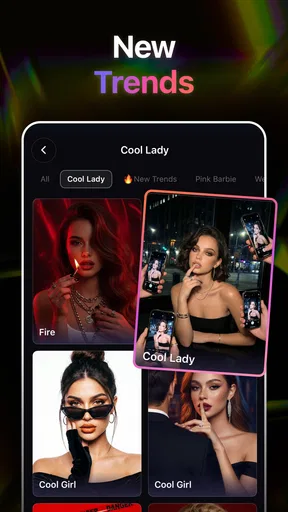
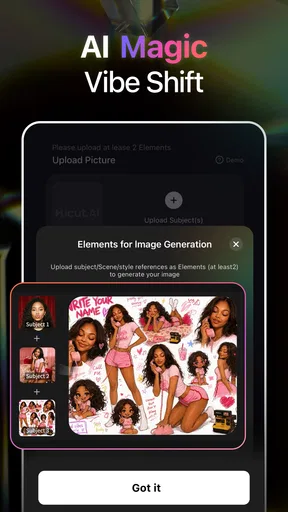
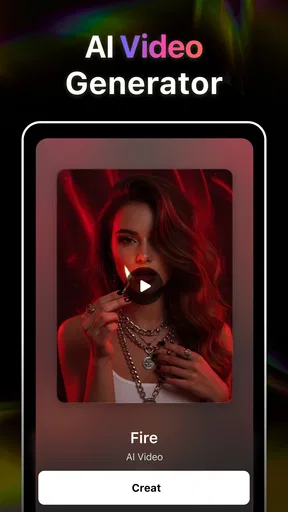
Our Review of AI Video Generator-HiCut
 Analysis by Appyee
I approach AI video tools with a little caution: a quick effect can be fun, but an editor is only useful if it helps me make something I’d actually want to share. AI Video Generator-HiCut is aimed at playful, fast-moving creations rather than careful, frame-by-frame post-production. Its mix of face effects, filters, morphing and video editing ideas makes it most interesting when I want to transform a short clip, experiment with a look or make something amusing for friends.
That focus matters when deciding whether it fits your routine. I wouldn’t treat it as a replacement for a full editing suite or assume every AI result will match the idea in my head. I would consider it when convenience and experimentation matter more than precise control, and when I’m happy to review the result before sharing it.
What the free option tells you—and what it doesn’t
The app is free to install, which gives curious users a way to try it without paying up front. It also offers in-app purchases ranging from $0.99 to $99.99 per item, so some purchases can be inexpensive while others are a much bigger commitment. I’d check the price shown for any item I’m considering rather than assume that every effect or tool is included at no cost.
That distinction is especially useful with creative apps: “free” can describe access to the app without describing the cost of every option inside it. If I only want to test a few ideas, I’d start with the free experience and see how far it takes me. If a purchase prompt appears, I’d pause and decide whether that specific extra solves a real problem for my project.
Where the creative value comes from
HiCut’s appeal is the chance to get from a simple source clip to something with a more expressive, edited feel without building the whole result manually. Face swapping, morphing and video effects point toward casual transformations, while filters can change the mood of footage quickly. For someone making a lighthearted clip for a group chat, that can be more valuable than a long list of traditional editing controls.
A practical way to use it is to start with a short, well-lit clip and one clear idea. For example, I might make a silly birthday greeting for a friend, try a face effect, then compare a filtered version with the untouched original before deciding what to send. Keeping the source simple makes it easier to judge whether the effect is doing something fun or merely distracting from the moment.
Why it isn’t a complete editing workstation
AI-assisted results trade some control for speed. If I need exact timing, carefully layered audio, consistent color across a longer project or detailed cuts, I’d reach for a conventional editor designed around a timeline. HiCut makes more sense when the effect itself is the point, not when I’m trying to build a polished sequence with precise decisions at every stage.
I’d also be selective about the footage I use. A face effect can be less convincing when a face is small, partly hidden or moving quickly, so choosing a clear moment and checking the output closely is a sensible habit. That isn’t a reason to avoid experimenting; it’s a reminder that AI doesn’t remove the need to choose good source material.
Who is likely to enjoy it?
This is a better match for casual creators who like testing visual ideas, making short social clips or adding a comic twist to personal videos. It may also suit beginners who feel intimidated by a traditional editor, provided they’re comfortable with a more guided, effect-first approach. I’d be less likely to recommend it to someone who needs dependable precision for client work, a long-form project or a tightly controlled visual style.
Compared with a standard phone editor, HiCut’s distinctive draw is its AI-centered transformations rather than simply trimming, arranging and polishing footage. Compared with a more advanced editor, the trade-off is the opposite: less emphasis on detailed control in exchange for quick, playful experimentation. The right choice depends on whether you want the edit to disappear into the background or become the main attraction.
Songzan develops the app, which is listed in the Art & Design category. It has a 3.1 average from around 5,500 ratings, with 197 written reviews, and has passed one million installs. Those figures suggest plenty of people have tried it, but the average rating is a reason for me to keep expectations measured and judge the current experience for myself rather than assume it will suit every device or editing style.
First Impressions of HiCut
Right off the bat, what struck me about AI Video Generator-HiCut was its sleek and intuitive interface. I mean, you don’t need to be a tech wizard to navigate through it, which is a huge plus in my book. The layout is super user-friendly, making it easy to dive right into video creation without a steep learning curve.
The app is available on both Android and iOS, so no matter your device preference, you’re covered. Downloading and installing was a breeze, and it didn’t take up a massive chunk of my phone’s storage, which is always a bonus!
Creating Videos with Ease
Now, let’s get into the nitty-gritty of what this app can do. With HiCut, generating videos is as simple as selecting your media files and letting the AI wizardry do its thing. Seriously, the AI-driven editing features are a lifesaver for those of us who might not have the time or skills to manually edit each clip.
One of the standout features is its ability to automatically sync your video with music tracks. The AI analyzes your video’s content and picks up on the beats of the music to create seamless transitions and effects. It’s like having a personal DJ and video editor rolled into one.
Customization and Features
For those who love to have control over their edits, HiCut doesn’t disappoint. You can tweak the effects, choose from a variety of filters, and even adjust the speed of your clips. It supports a wide range of formats too, so you can easily upload your creations to social media platforms without any hassle.
The app also offers a decent selection of templates if you’re in need of some inspiration or a quick fix for a professional-looking video. And if you’re feeling particularly creative, you can start from scratch and put together a masterpiece tailored to your vision.
Performance and User Experience
I was pleasantly surprised by how smoothly the app ran on my device. There were no noticeable lags or crashes, which is often a concern with video editing apps. The developers clearly prioritized stability, and it shows.
One thing that really stood out to me was the community aspect of HiCut. There’s a section where users can share their works and get feedback, which is awesome for those looking to improve their skills or simply showcase their creativity. It’s like being part of a friendly, supportive club of video enthusiasts.
Trying effects without losing the moment
For an everyday project, I’d use a copy or a spare clip rather than make decisions around the only version of an important memory. I’d also watch the finished video once with sound and once without it: a music-led edit can feel lively at first, while a muted check makes it easier to spot whether the visual transitions still make sense on their own.
That quick review is useful before sharing, especially with face swaps or morphing. I’d make sure the people shown are comfortable with the result and that the joke reads as a joke outside my own context. A playful effect can be harmless among friends but confusing when it travels beyond the original conversation.
Small workflow choices that improve the result
Rather than applying several effects at once, I’d test one change at a time and keep the strongest version. This makes it easier to tell whether a filter improves the clip or whether the face effect already provides enough visual impact. It also helps avoid the familiar problem of an edit becoming busy simply because every available option looked tempting.
For a short social post, I’d decide on the destination and viewing context before editing: a clip watched quickly on a phone needs a clear focal point, while a joke that depends on a tiny background detail may not land. HiCut’s effects are most useful when the transformation is immediately understandable, not when viewers have to inspect the frame to work out what changed.
Age, device fit and expectations
The content rating is Everyone, and the minimum operating-system requirement is version 8.0. The current version is 2.3.7. I’d still check that my own device is compatible before planning a project, since a listed minimum is a starting point rather than a promise that every editing task will feel equally smooth on every phone.
For someone deciding whether to keep it, the best test is a small one: install it, try a clip that isn’t important, and see whether the available effects match the kind of videos they actually make. That tells you more than judging an AI editor by a single striking preview or expecting it to behave like a traditional timeline tool.
Final Thoughts
All in all, AI Video Generator-HiCut is a fantastic tool for anyone looking to dabble in video creation without the hassle of complicated software. The AI features are a standout, making it accessible to beginners while still offering enough customization for seasoned creators.
If you’re on the lookout for a versatile, reliable video editing app that won’t break the bank (or your brain), give HiCut a try. It might just become your new favorite companion for video projects. Happy editing!
Verdict
Strengths of AI Video Generator-HiCut
- Easy-to-use interface for beginners.
- Supports various video formats.
- Fast processing with high-quality output.
- Customizable templates available.
- Offers seamless social media sharing.
Limitations of AI Video Generator-HiCut
- Limited free version features.
- Occasional app crashes reported.
- Some advanced features require subscription.
- Needs stable internet for cloud processing.
- In-app ads can be intrusive.
Similar Picks in This Category
View All
Canva: AI Photo & Video Editor
Canva4.8

PENUP – Drawing-sharing SNS
Samsung Electronics Co., Ltd.4.5

Crafto
Kutumb App4.6

Sketchbook
Sketchbook4.1

ibis Paint X
ibis inc.4.5

Adobe Express: AI Photo, Video
Adobe4.6
Frequently Asked Questions
What is AI Video Generator-HiCut and how does it work?
AI Video Generator-HiCut is an advanced app designed to create and edit videos using artificial intelligence. It offers a range of features, including automated video editing, special effects, and transitions. By leveraging AI, it simplifies the video creation process, making it accessible even for those with minimal editing experience.
Is AI Video Generator-HiCut suitable for beginners?
Yes, AI Video Generator-HiCut is designed with user-friendliness in mind, making it an excellent choice for beginners. The app features intuitive controls and automated editing tools that guide users through the process, allowing them to create professional-looking videos without needing extensive technical knowledge.
What are the key features of AI Video Generator-HiCut?
AI Video Generator-HiCut offers a variety of features, including AI-driven video editing, customizable templates, a diverse library of effects and transitions, and support for multiple video formats. It also provides tools for adding text, music, and voiceovers, making it a comprehensive solution for video creation.
Are there any subscription fees or in-app purchases in AI Video Generator-HiCut?
AI Video Generator-HiCut typically offers a free version with basic features. However, for access to premium features and content, users may need to subscribe to a paid plan. It's important to check the app store for the latest pricing and subscription details to make an informed decision.
What devices and operating systems are compatible with AI Video Generator-HiCut?
AI Video Generator-HiCut is available for both Android and iOS devices. It requires a minimum operating system version, which is typically specified in the app store. Ensuring your device meets these requirements is crucial for optimal performance and access to all features.
